KWScanner: The Best Keywords Everywhere Alternative
Keywords Everywhere built a massive user base by making keyword data accessible inside the browser. But the product has changed — annual subscriptions, expiring credits, and a credit system that can burn through your balance on a single Google search. If you're looking for a Keywords Everywhere alternative that gives you better data, flexible pricing, and a real campaign planning workflow, here's why KWScanner is the tool marketers are switching to.
What changed with Keywords Everywhere?
Keywords Everywhere started as a simple, affordable browser extension. Install it, buy some credits, and see search volume next to your Google queries. It was elegant. Millions of marketers adopted it for exactly that reason.
But the product has evolved in a direction that doesn't work for everyone:
- Annual subscriptions replaced credit packs. Keywords Everywhere now requires an annual commitment — Bronze ($84/yr), Silver ($168/yr), Gold ($480/yr), or Platinum ($1,440/yr). You can't just buy credits when you need them anymore.
- Credits expire after 12 months. If you don't use your credits within a year, they're gone. That creates a "use it or lose it" pressure that doesn't match project-based marketing work.
- Passive credit drain is real. A single Google search with the extension active can consume 50+ credits — 1 for your query, 20 for "People Also Search For," 8 for related keywords, 25 for long-tail suggestions. Browse casually for a morning and you've burned through hundreds of credits without doing any actual research.
- No real free tier. The free version shows keyword suggestions but no volume, CPC, or trend data. To see any planning metrics, you need a paid subscription.
None of this makes Keywords Everywhere a bad product. It's still a capable extension for quick lookups. But if your work involves planning campaigns, briefing content teams, or managing keyword research for multiple clients — you need something built for that workflow.
Why KWScanner is the better alternative
KWScanner was designed from the ground up for marketing professionals who plan campaigns — not just spot-check search volumes. Here's what makes it different:
1. Data from Google Keyword Planner — not clickstream estimates
This is the single most important difference between the two tools.
Keywords Everywhere builds its volume estimates from clickstream samples and third-party data panels. That's fine for rough-order-of-magnitude checks — "is this keyword in the thousands or the millions?" — but the numbers often don't match what you'll see in Google Ads. When you hand a keyword plan to your paid-search lead, the discrepancy between your data and Google's data creates friction, rework, and lost trust.
KWScanner pulls planning metrics — monthly search volume, average CPC, competition score, and twelve-month trend data — from authoritative search-data providers including Google Keyword Planner. That's the same demand signal Google's own ad-buying tools surface to advertisers. Rounded the way Google rounds. Bracketed the way Google brackets.
The result: when you export a keyword plan from KWScanner and open it next to Google Ads, the numbers line up. No re-estimation. No explaining why your spreadsheet says one thing and Google says another.
2. True pay-as-you-go pricing — no annual lock-in
Keywords Everywhere requires an annual subscription. Even their cheapest plan locks you into an $84/year commitment. If your keyword research needs are seasonal or project-based, you're paying for months you don't use.
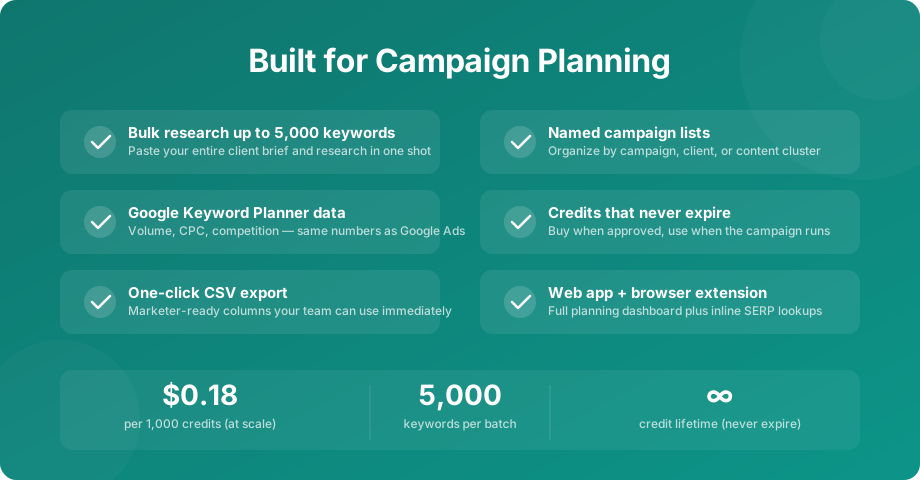
KWScanner uses genuine pay-as-you-go pricing. Buy credits from 10,000 up, whenever you need them. No subscription. No annual billing cycle. No auto-renewals to remember to cancel. Volume discounts are applied automatically based on how much you purchase:
- 10,000 – 100,000 credits — $0.50 per 1,000 credits
- 100,000 – 300,000 credits — $0.41 per 1,000 credits
- 300,000 – 600,000 credits — $0.32 per 1,000 credits
- 600,000 – 1M credits — $0.26 per 1,000 credits
- 1M+ credits — $0.20 per 1,000 credits
And here's the part that makes the biggest practical difference: KWScanner credits never expire. Buy them when budget is approved in Q1, use them when the campaign actually launches in Q3. No "use it or lose it" math.
3. One credit = one keyword — no hidden credit drain
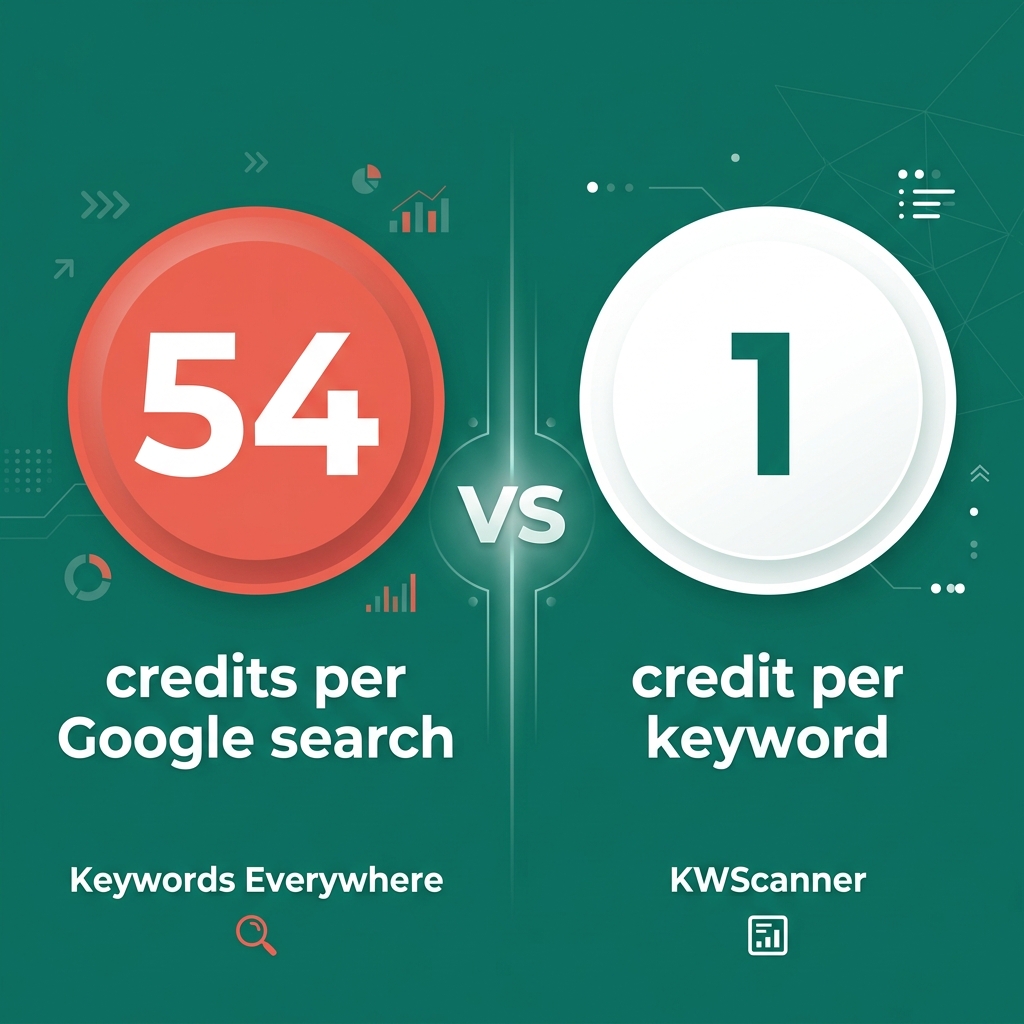
With Keywords Everywhere, credits are consumed passively as you browse. Visit Google with the extension active and you'll burn through credits on every "People Also Search For" keyword, every related query, every long-tail suggestion — whether you asked for that data or not. Their own documentation notes that a single Google search can cost 54 credits (1 + 20 PASF + 8 related + 25 long-tail).
KWScanner doesn't work that way. One credit researches one keyword. You choose which keywords to research by adding them to your list. No background drain, no surprise deductions, no need to toggle the extension on and off to conserve credits. Every credit goes toward intentional research.
And if a keyword returns no planning data? The credit is refunded automatically. With Keywords Everywhere, you're charged a credit regardless of whether the keyword has any search volume at all.
4. A campaign planning workflow — not just a browser overlay
Keywords Everywhere is a browser extension. Its entire experience lives as an overlay on other websites. That works for quick lookups, but planning a campaign is more than a series of one-off searches.
When you're building a content strategy, structuring ad groups, or briefing a freelance writer, you need to:
- Paste a list of 50 or 500 seed keywords from a client brief and research them in one shot
- Expand into related terms the data provider surfaces — broader than what shows up in a SERP widget
- Group keywords into themed lists organized by campaign, client, or content cluster
- Sort and filter by volume, CPC, competition, and seasonality to find the priority terms
- Export a clean CSV that your strategist, writer, or paid-search lead can pick up immediately
KWScanner is built around that loop. Lists are first-class — you name them by campaign or client. Bulk research handles up to 5,000 keywords at a time. Related-term expansion comes from the provider side, surfacing opportunities you'd never find in a "People Also Ask" box. CSV export is one click, with the columns marketers actually use.
And we kept the inline research surface too — the KWScanner browser extension shows planning metrics on Google search results and Google Trends, so the spot-check habit you've built keeps working.
5. Free starter credits — no card required
Keywords Everywhere's free version shows keyword suggestions but no volume, CPC, or trend data. To see any real metrics, you have to buy a subscription.
KWScanner gives every new account free starter credits on signup — enough to plan your first campaign or research a real keyword list before you spend anything. No credit card needed to start. You see the actual data quality and workflow before you decide whether it's right for you.
Full comparison: KWScanner vs Keywords Everywhere
| Feature | Keywords Everywhere | KWScanner |
|---|---|---|
| Pricing model | Annual subscription ($84 – $1,440/yr) | Pay-as-you-go — buy credits anytime, no subscription |
| Cost per 1,000 credits | $0.84 – $0.18 depending on annual plan tier | $1.00 – $0.18 with automatic volume discounts |
| Credit expiry | Credits expire after 12 months | Credits never expire |
| Credit consumption | Passive — credits consumed while browsing (up to 54 per Google search) | Intentional — 1 credit per keyword you choose to research |
| Refunds for empty data | No — charged even if keyword has zero volume | Automatic — credit refunded if no planning data returned |
| Free trial | Free keyword suggestions, but no volume/CPC/trend data | Free starter credits with full data — no card required |
| Data source | Clickstream samples and third-party panels | Authoritative providers including Google Keyword Planner |
| CPC & competition data | Estimated from third-party sources | Direct from Google Keyword Planner — same units as Google Ads |
| Trend data | Last 12 months (where available) | 12-month trend from Google Keyword Planner — the curve advertisers see |
| Primary interface | Browser extension only | Web app + browser extension |
| Bulk research | Bulk import tool inside extension | Up to 5,000 keywords per batch in the web app |
| Campaign lists | Favorites list (costs credits to view) | Named keyword lists organized by campaign or client |
| Related-term expansion | SERP "Related" and "PASF" widgets (costs credits) | Provider-side expansion + paste-and-research your own lists |
| CSV export | Available | One-click export with marketer-ready columns |
| Annual commitment | Required — billed annually | None — buy credits when you need them |
Comparison reflects each product's publicly listed pricing and documentation at the time of writing (May 2026). Always verify current details on each product's website before purchasing.
Who should switch to KWScanner?
KWScanner isn't trying to be everything for everyone. It's purpose-built for a specific type of marketer. You'll get the most value from switching if:
- You plan campaigns, not just look up keywords. If your workflow involves briefing content, structuring ad groups, or building keyword maps for landing pages — KWScanner's list-based planning workflow replaces the spreadsheet juggling you're doing today.
- You need data that matches Google Ads. If you've ever handed a keyword plan to a paid-search team and had them come back saying "these numbers don't match what I see in Google Ads" — that's the data-source problem KWScanner solves.
- You do project-based or seasonal work. Annual subscriptions penalize agencies and consultants whose keyword research needs fluctuate. Pay-as-you-go with non-expiring credits matches the way project-based work actually happens.
- You're tired of watching credits disappear. If you've ever checked your Keywords Everywhere balance after a morning of browsing and wondered where your credits went — KWScanner's intentional research model means every credit goes toward work you chose to do.
- You manage research for multiple clients. Named keyword lists organized by campaign or client keep your research structured. No more hunting through browser history to find that keyword you looked up last Tuesday.
When Keywords Everywhere might still work for you
To be direct: if your entire keyword research workflow is "I want to see a rough search volume next to my Google searches while I browse," Keywords Everywhere does that well. It's a solid browser extension for passive discovery, and the additional features they've added — social media metrics, backlink data, ChatGPT prompts — make it a useful general-purpose marketing toolbox.
But the moment your needs evolve beyond casual lookups — when you need to plan a real campaign, when the numbers need to match Google Ads, when you need to organize research across clients, when you need credits to last until the project actually starts — that's where Keywords Everywhere's model starts working against you, and where KWScanner is purpose-built to help.
How to switch from Keywords Everywhere to KWScanner
Switching takes about 60 seconds:
- Create a free KWScanner account — no credit card required. You'll get free starter credits immediately.
- Run a real test. Paste a seed keyword list from a current project. Research them in bulk. Check the volumes, CPCs, and trend data against what you see in Google Keyword Planner — you'll see they match.
- Build a keyword list. Group your researched terms into a named list. Expand into related terms. Sort by volume or CPC. Export a CSV.
- Decide for yourself. If the data quality, workflow, and pricing model are a better fit — top up credits at the volume tier that matches your work. If not, you've lost nothing.
Frequently asked questions
Is KWScanner a good alternative to Keywords Everywhere?
Yes. KWScanner addresses the most common reasons marketers look for a Keywords Everywhere alternative: it offers pay-as-you-go credits with no annual subscription, sources data from authoritative providers including Google Keyword Planner, provides a dedicated web app for campaign planning (not just a browser extension), and credits never expire.
How is KWScanner's pricing different from Keywords Everywhere?
Keywords Everywhere uses annual subscriptions — $84/year for 100K credits up to $1,440/year for 8M credits. Credits expire after 12 months. KWScanner uses true pay-as-you-go pricing — buy any amount from 10,000 credits up with no annual commitment. Volume discounts are applied automatically (down to $0.20/1K at 1M+ credits), and credits never expire.
Where does KWScanner get its keyword data?
KWScanner pulls volume, CPC, competition, and trend data from authoritative search-data providers including Google Keyword Planner. This means the planning metrics you see in KWScanner match what advertisers see inside Google Ads — no discrepancies when you hand off a keyword plan to a paid-search team. We are not affiliated with or endorsed by Google; we believe the planning data should come from the source.
Do KWScanner credits expire?
No. KWScanner credits never expire. Buy them when budget is approved, use them when the campaign runs — even months later. This is a key difference from Keywords Everywhere, where credits expire 12 months after purchase.
How does credit consumption work in KWScanner vs Keywords Everywhere?
In Keywords Everywhere, credits are consumed passively as you browse — a single Google search can use 54 credits (your query + PASF + related + long-tail keywords). In KWScanner, one credit researches one keyword that you explicitly choose to research. No passive drain, no surprise deductions. If a keyword returns no data, the credit is refunded automatically.
Does KWScanner have a browser extension?
Yes. KWScanner offers both a full web app for campaign planning (lists, bulk research, related-term expansion, CSV export) and a browser extension that shows planning metrics inline on Google search results and Google Trends. You get both surfaces — the planning depth of a web app and the convenience of inline lookups.
Can I try KWScanner for free?
Yes. Every new KWScanner account receives free starter credits on signup — no credit card required. You can research real keywords, build a list, and export data before deciding whether to purchase additional credits.
What if I need keyword data for international markets?
KWScanner supports multiple countries and languages. You can switch the target country and language per query so your campaign briefs reflect each region's actual search demand — US English, UK English, German, French, Spanish, and more.